Add a free gift to a deal
Applies to: TreStack Bundles, every plan
Updated: 5 November 2026
- Gives: A free product or free shipping with a bar
- Goes on: Quantity break, Buy X, get Y and Product bundle bars
- Free while: The cart still reaches the bar
A gift belongs to one bar. The widget adds it to the cart with the bar's items, and checkout takes 100% off it while the cart still reaches that bar.
Set it up
- In TreStack Bundles, open the deal, then Deal bars, and open the bar the gift comes with.
- Choose Add gift, then Single gift.
- Under Gift, pick Free gift for a product or Free shipping.
- For a Free gift, choose Select a product, limit its Variants if you want, and set the Quantity, the items of the gift per set.
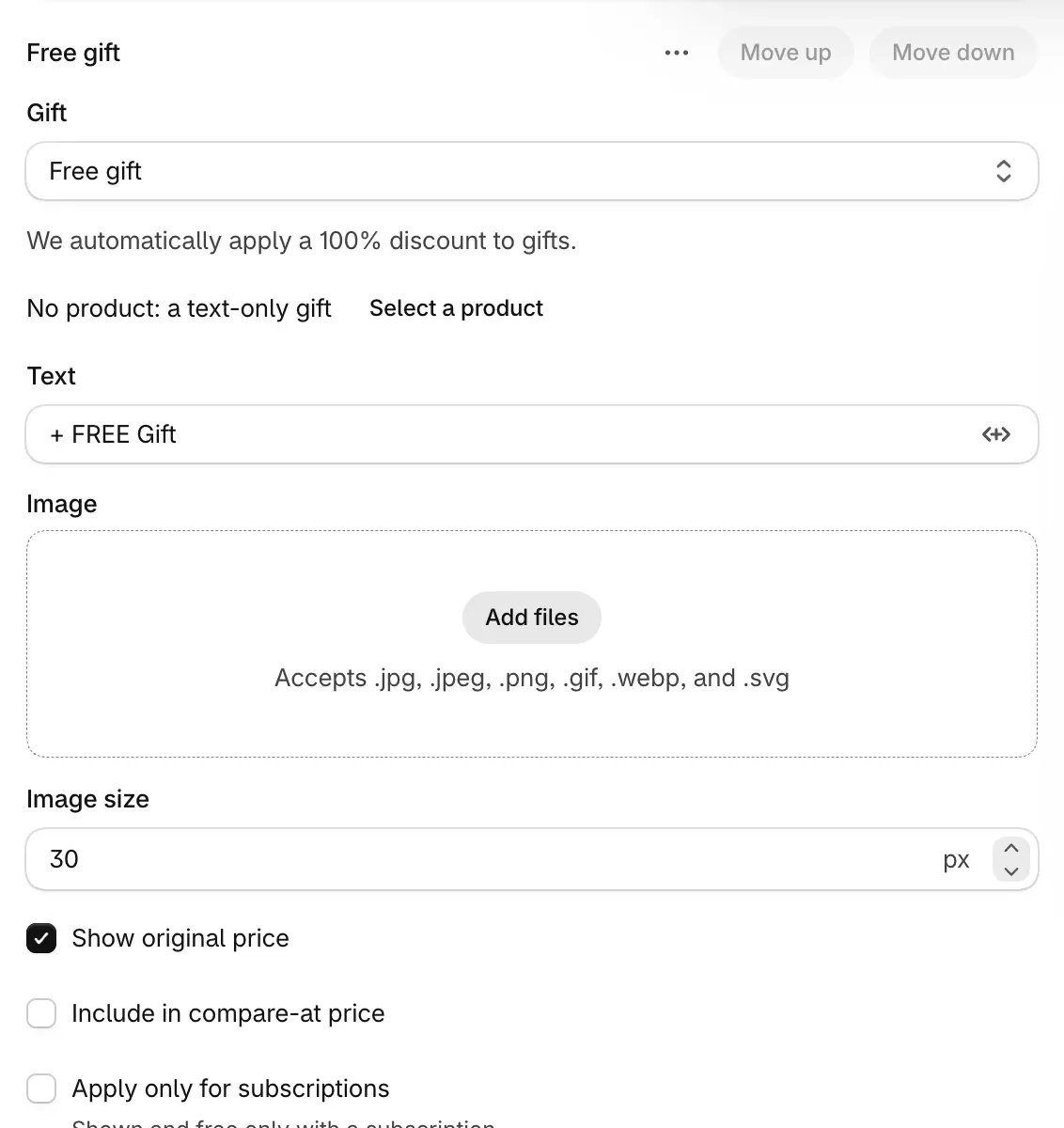
- Write the Text ("+ FREE Gift" by default) and pick an Image. Show original price is on by default; Include in compare-at price adds the gift's regular price to the bar's crossed-out price.
- For Free shipping, turn on Exclude shipping rates over a certain amount and enter an Amount if expensive rates should keep their price.
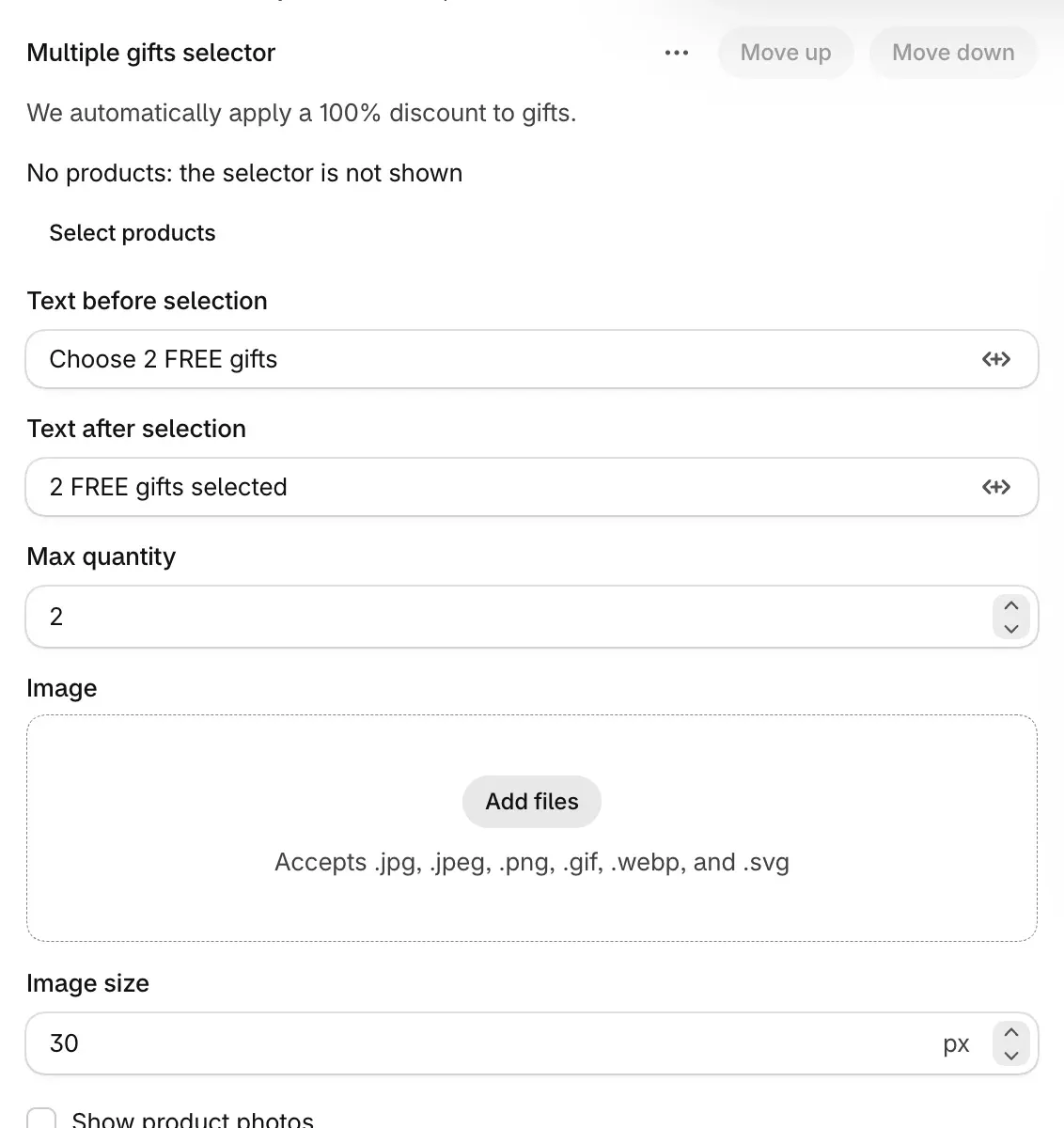
- To let the shopper choose instead, choose Add gift, then Multiple gifts selector. Choose Select products to list up to 20 products, and set Max quantity, how many different products the shopper can choose (2 by default).
- Choose Publish.
Check it on your store
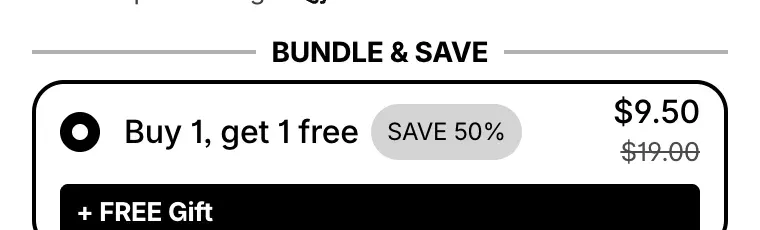
Open the product page, select the bar and add it to the cart: the gift line shows as free. Then lower the quantity in the cart below that bar and look at the gift again: it now has its full price.
Good to know
- A gift can stay at full price. If the shopper lowers the quantity below the bar, or removes an item from a bundle, the gift stays in the cart at its full price: nothing removes it. Say in the gift's text which bar it comes with.
- Quantity is per set. With a gift of 1 on a 2 pack bar and 4 items in the cart, 2 items of the gift are free; a third pays full price.
- Selectors offer only variants in stock. If the cart holds more of a selector's products than it allows, the cheapest items are the free ones.
- No gifts on Mix & Match or Alternative product bars. For gifts that unlock with bigger bars, use progressive gifts.
Progressive gifts and every gift field are in Free gifts and progressive gifts.
Sell a bundle of different products
Sell the page's product together with other products: a Product bundle bar with a price per product, or a Mix & Match bar with one price for a set the shopper can change.
Add an upsell to a deal
Offer another product next to a deal at its own price: an upsell inside a deal bar, or checkbox add-ons below the bars, and when each one is discounted in the cart.