Sell a deal as a subscription
Applies to: TreStack Bundles, every plan
Updated: 5 November 2026
- Needs: Selling plans from your subscription app
- Starts from: The Subscription template, or the Subscriptions section
- Discount applies: First order and every renewal
TreStack Bundles has no subscriptions of its own. It offers the selling plans your subscription app has put on your products, with the deal's discount on top.
Set it up
- In your subscription app, add the products to a selling plan. The deal can only offer plans that exist.
- In TreStack Bundles, choose Create bundle deal. On Choose a discount type, pick Subscription: the Buy X, get Y template with Subscriptions turned on. In an existing deal, turn on the Subscriptions section instead.
- Open Products and choose where the deal shows: All products, Selected products or Selected collections.
- Look at the preview. If the editor shows Some products aren't eligible for subscriptions, the previewed product has no selling plans and the choice shows greyed out.
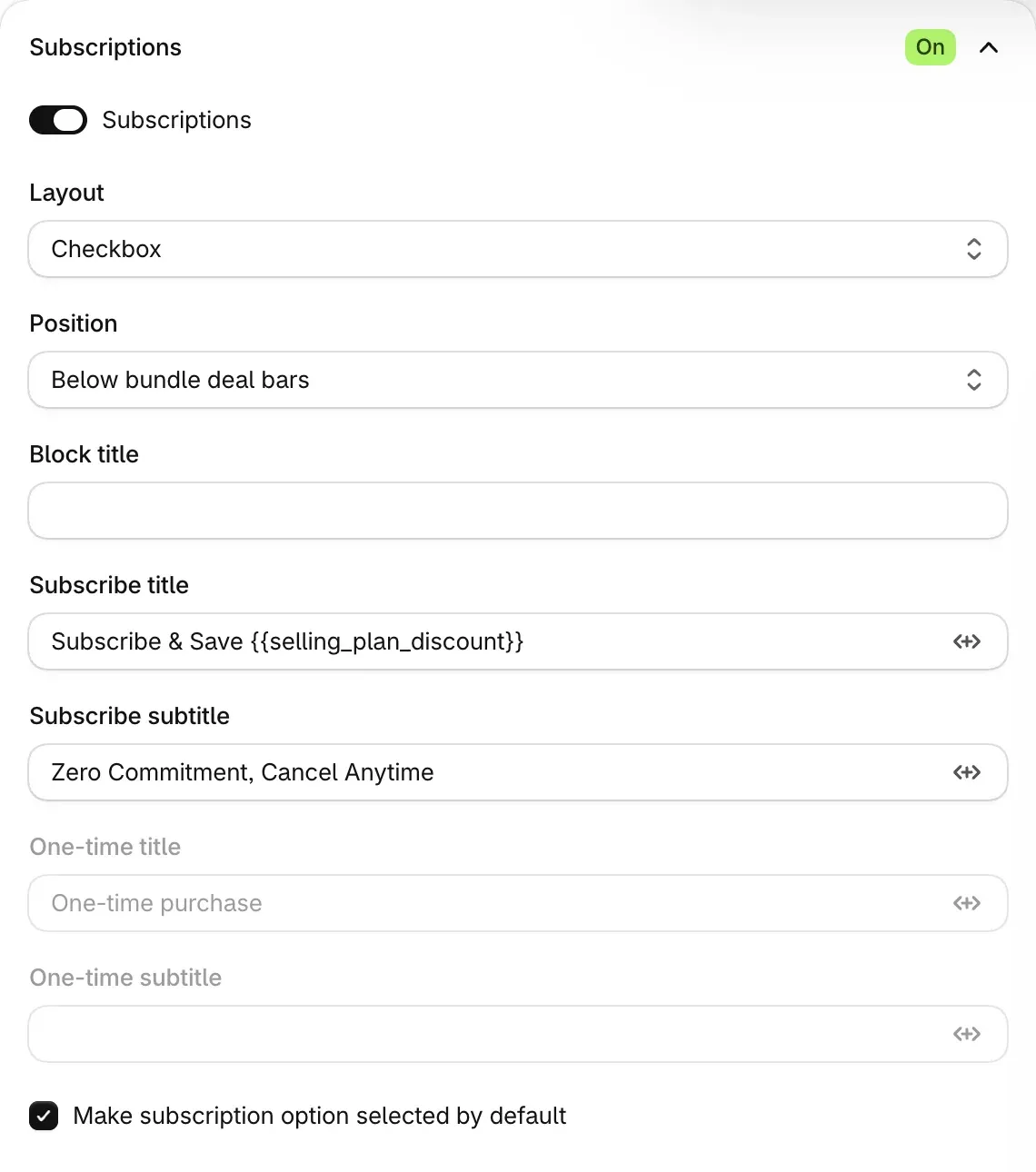
- In Subscriptions, pick a Layout (Checkbox, Link, Horizontal or Vertical) and a Position, above or below the bars.
- Write the Subscribe title and Subscribe subtitle, and the One-time title. The variable
{{selling_plan_discount}}fills in the plan's saving. - Decide on Make subscription option selected by default, which is on by default. Turn on Show Subscription & One-time prices to show the selected bar's total on each option.
- To always sell a bar on a plan, turn on Apply selling plan on that bar and pick a Selling plan, or Default for the product's first plan.
- Choose Publish.
Check it on your store
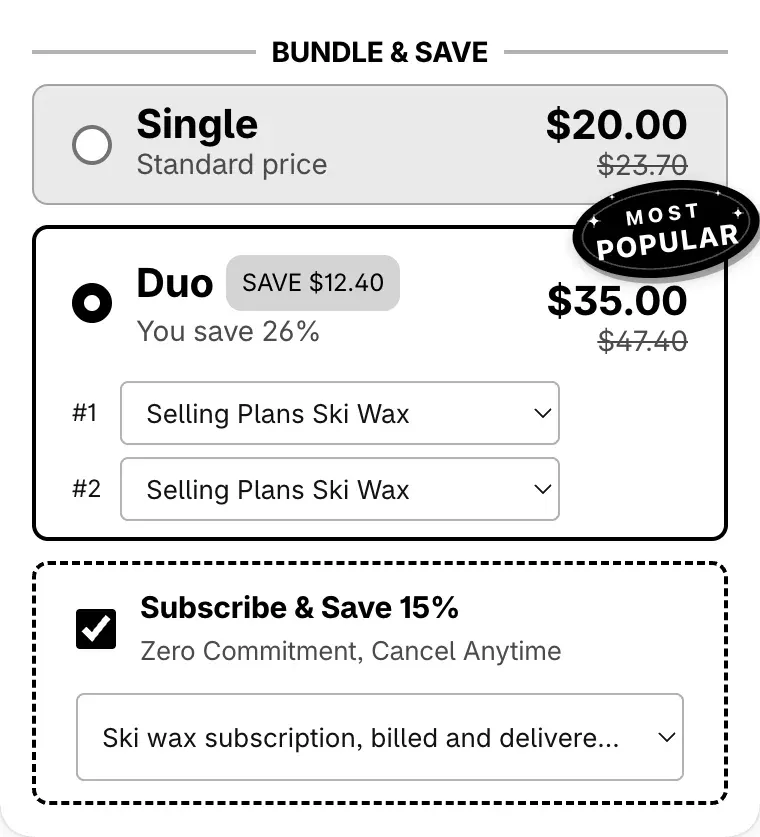
Open the product page of a product with selling plans, choose the subscribe option and add a bar to the cart. Compare the price with the plan's own price: both savings apply. A plan that takes 10% off and a bar that takes 15% off give the bar's 15% off the plan price.
Good to know
- No plans, no choice. Products without selling plans show no subscription choice on the storefront.
- Renewals keep the discount. The deal's discount applies to the first order and every renewal.
- Gifts and personalisation fees are never on a plan. A gift with Apply only for subscriptions shows and is free only while the bar is bought on a plan.
- Upsells can follow the deal. Their Enable subscription is on by default, with Follow deal subscription putting them on the bar's plan when the shopper subscribes.
Every setting, and how a Fixed price is shared across a plan, is in Subscriptions in a deal.
Add an upsell to a deal
Offer another product next to a deal at its own price: an upsell inside a deal bar, or checkbox add-ons below the bars, and when each one is discounted in the cart.
Set the variant each item starts on
Choose the size or color each item of a deal bar shows when the page opens, and what happens when that variant is sold out.