Add an upsell to a deal
Applies to: TreStack Bundles, every plan
Updated: 5 November 2026
- Adds: Another product at its own price
- Two kinds: Bar upsells inside a bar, checkbox upsells below the bars
- Up to: 5 per bar, and 5 checkbox upsells per deal
An upsell is a product the shopper ticks to add with the deal. A bar upsell sits inside one bar; checkbox upsells sit below the bars.
Set it up
- In TreStack Bundles, open the deal, then Deal bars, and open a quantity break, Buy X, get Y or Product bundle bar.
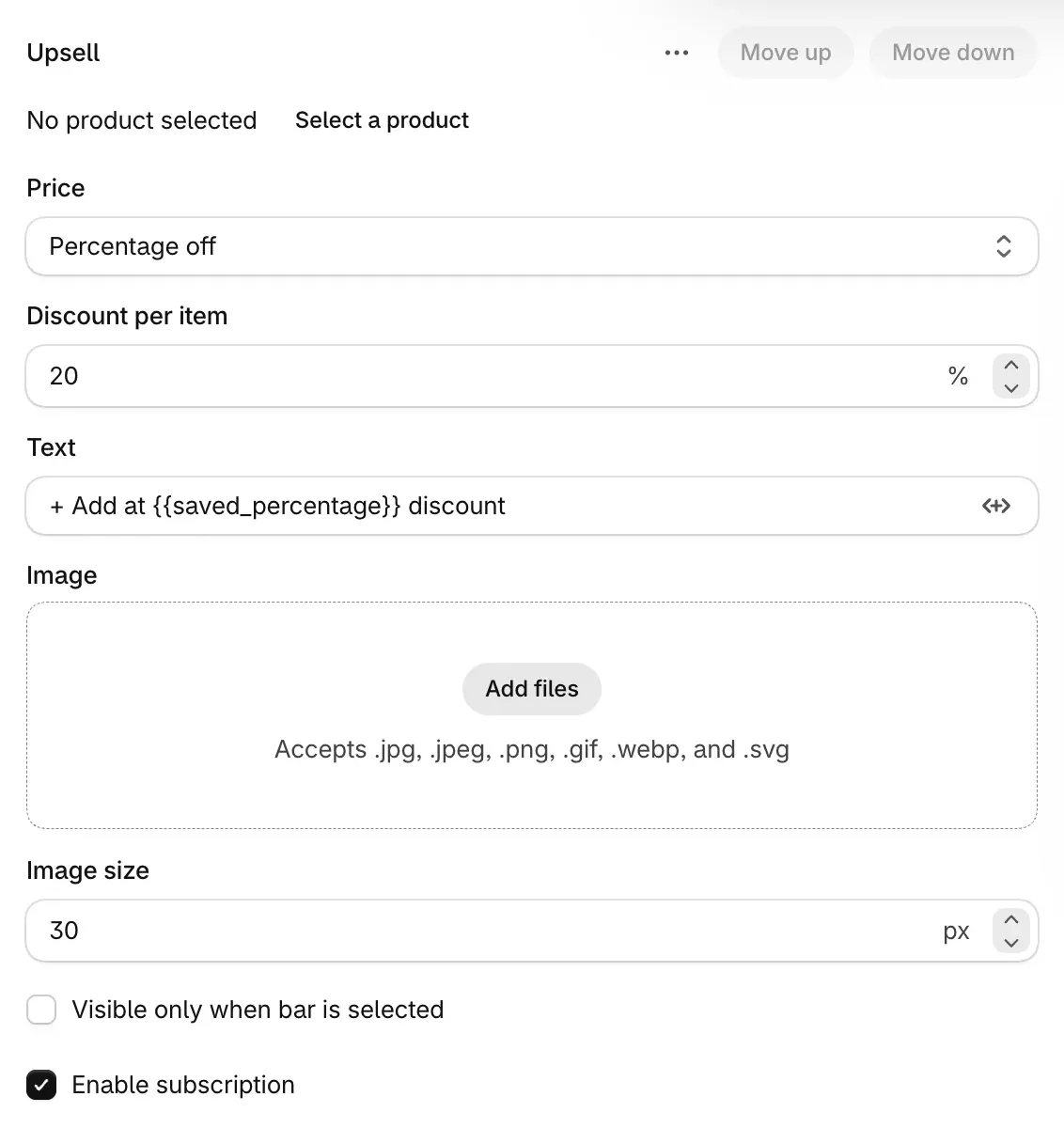
- Choose Add upsell. A new upsell starts at 20% off.
- Choose Select a product, limit its Variants if you want, and set the Pre-selected variant: First available or one you choose.
- Set the Quantity, the items of the upsell per set of the bar, and the Price: Full price, Percentage off, Amount off or Fixed price.
- Write the Text ("+ Add at
{{saved_percentage}}discount" by default) and pick an Image. Turn on Visible only when bar is selected to show the upsell inside the selected bar only.
For add-ons below every bar, use checkbox upsells:
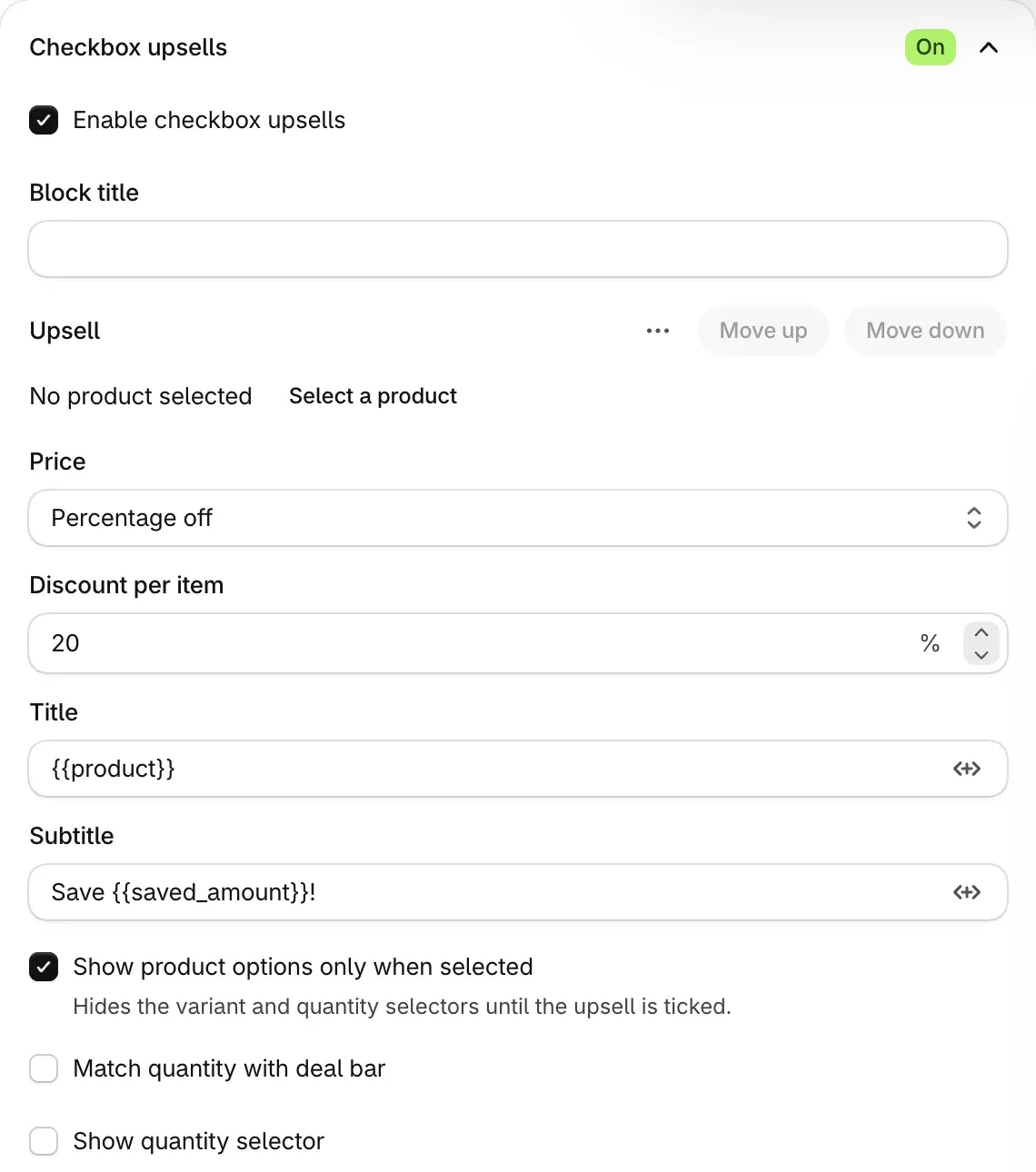
- Open the Checkbox upsells section and turn on Enable checkbox upsells. Add a Block title if you want one.
- Choose Add upsell, up to 5. A new one is 20% off.
- Pick the product, its Variants and Pre-selected variant, and set the Price, Title and Subtitle.
- Turn on Match quantity with deal bar to add as many as the selected bar has items, or Show quantity selector to let the shopper add up to 99.
Then choose Publish.
Check it on your store
Open the product page, tick the upsell and add the bar to the cart: the upsell shows at its price. Then lower the cart below the bar the upsell belongs to: the upsell stays in the cart, now at full price.
Good to know
- A new upsell starts unticked. The shopper ticks it to add it with the bar.
- Bar upsells follow their bar. One is discounted while the cart reaches its bar, its Quantity is per set, and further items pay full price. A checkbox upsell is discounted while the cart reaches any bar of the deal.
- Not on Mix & Match or Alternative product bars. Those take no bar upsells, and checkbox upsells do not show while one is selected.
- Buy it now is hidden while an upsell is in the offer, so the shopper checks out through the cart.
Every upsell field, and personalisation, is in Upsells, add-ons and personalisation.
Add a free gift to a deal
Give a free product or free shipping with a deal bar, or let the shopper pick gifts from a list, and know when a gift stays in the cart at full price.
Sell a deal as a subscription
Offer one-time or subscribe next to a deal, using the selling plans your subscription app puts on your products, and check how the deal's discount stacks on the plan's price.