Sell a bundle of different products
Applies to: TreStack Bundles, every plan
Updated: 5 November 2026
- Sells: Different products together, as one offer
- Starts from: The Complete the bundle template, or Add bar, then Mix & Match
- Priced by: Complete sets in the cart, at checkout
A Product bundle bar gives each product its own discount. A Mix & Match bar has one price for the whole set, and the shopper can swap some products.
Set it up
- In TreStack Bundles, choose Create bundle deal. On Choose a discount type, pick Complete the bundle. Its second bar, Complete the bundle, is the bundle.
- Open Products and choose where the deal shows: All products, Selected products or Selected collections.
- Open Deal bars and the bundle bar. Its first product, Default product, stands for the product on the page. Choose Add product for each other product, up to 20 per bar.
- For each product, set the Quantity and the Price: Full price, Percentage off, Amount off or Fixed price. Limit its Variants and set the Pre-selected variant where needed.
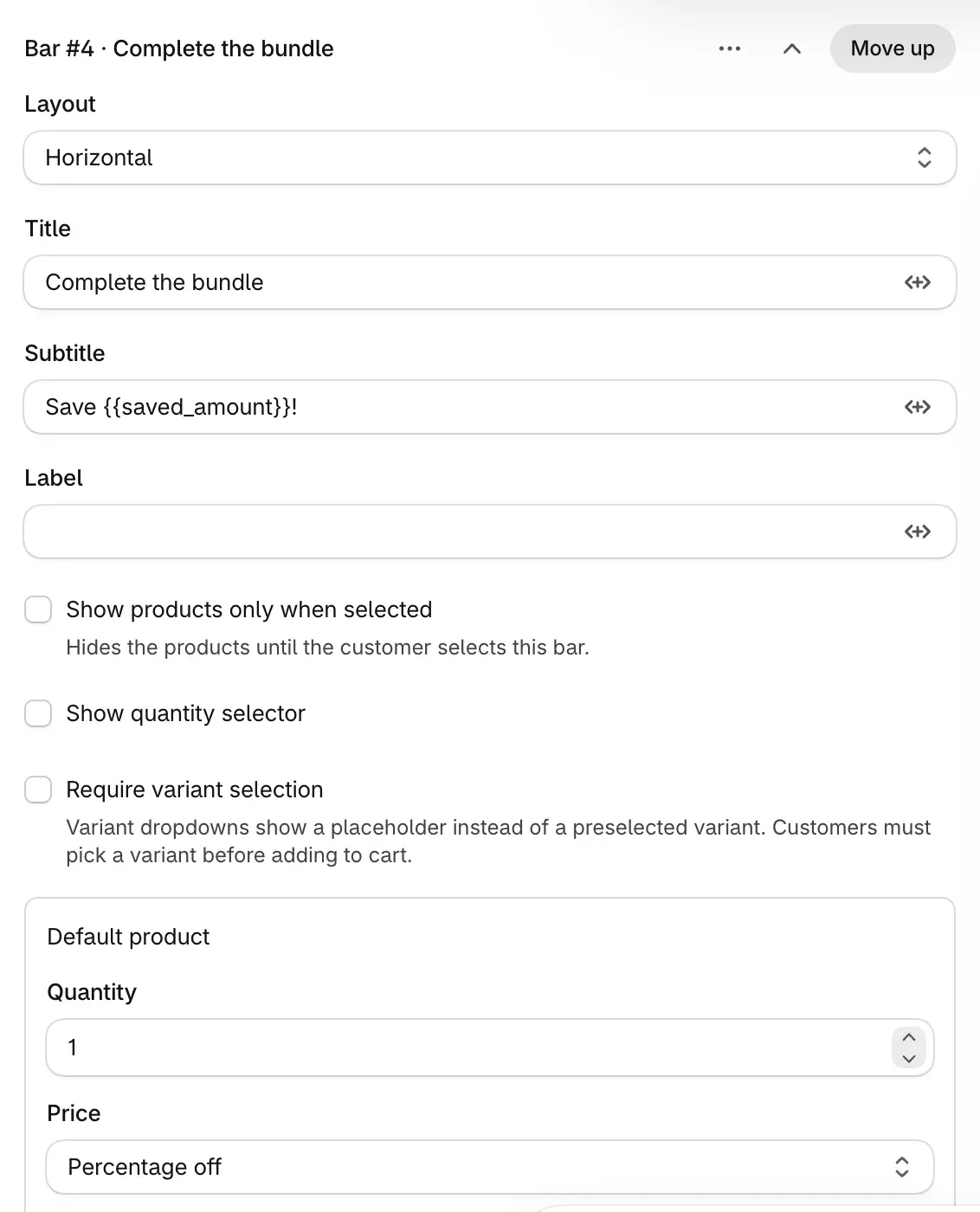
- There is no single price for the whole bundle. For a bundle that costs a set amount, give each product a Fixed price so that the totals add up to it.
- Choose Publish.
For a set the shopper can change, add a Mix & Match bar instead:
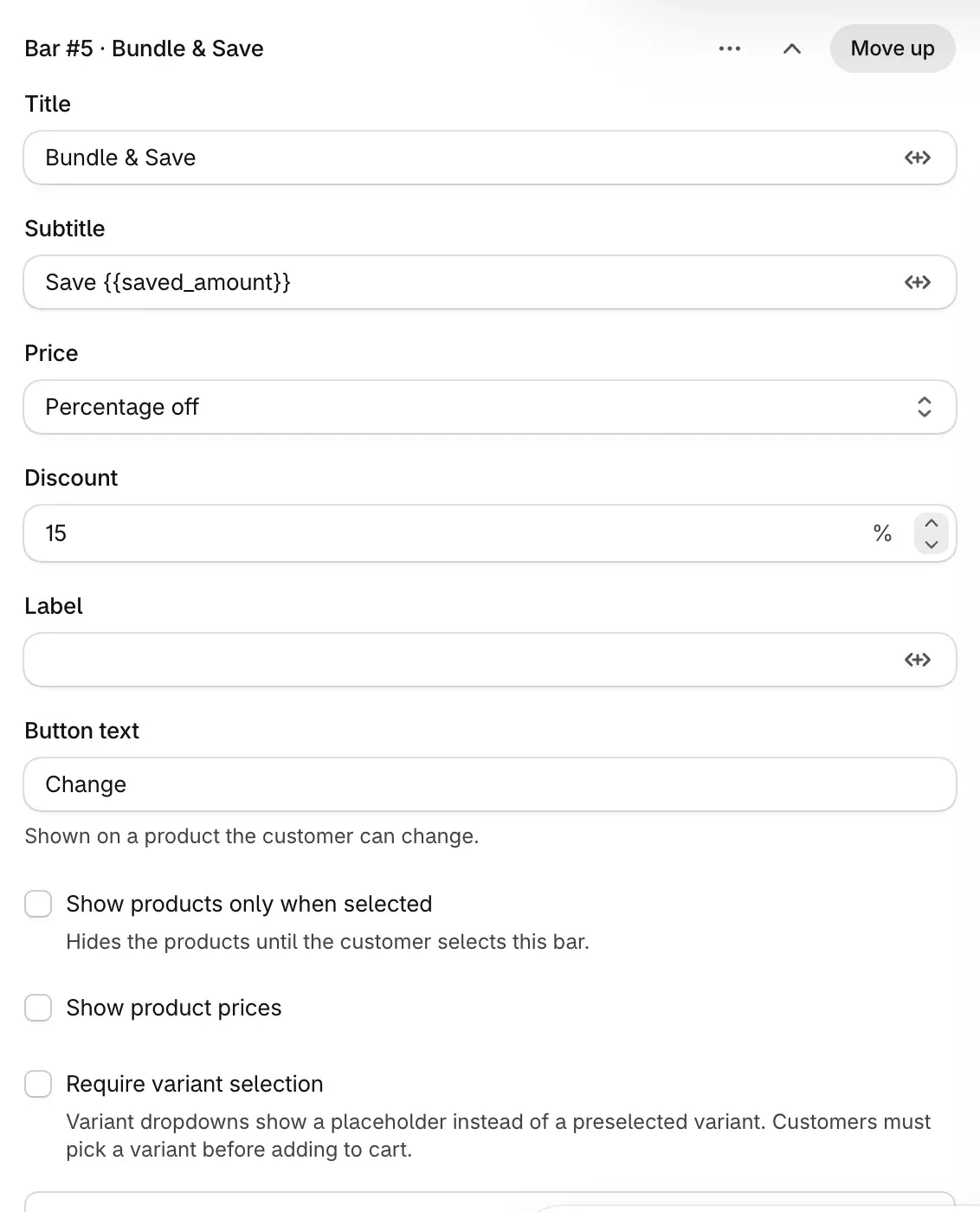
- In Deal bars, choose Add bar, then Mix & Match. The new bar is titled Bundle & Save, at 15% off the set.
- Choose Add product for each slot, up to 20. The first slot is the page's product.
- On a slot the shopper may change, choose Select changeable products and pick up to 20 products to offer instead.
- Set the Price for the set: a Discount, or with Fixed price a Bundle price per set.
Check it on your store
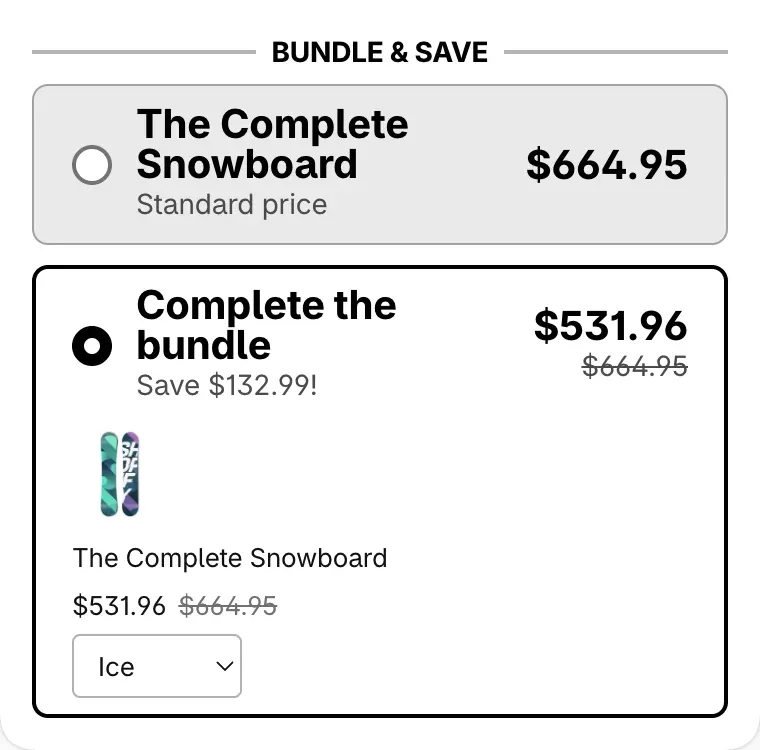
Open the product page, select the bundle bar, add it to the cart and check each product's price. Then remove one item: the discount goes. A mix and match set shows as one cart line when Shopify allows it.
Good to know
- Only whole sets are discounted. A set with a product missing gets no discount, and items past the last whole set pay full price.
- Only items added through the widget form a set. The same products added from their own pages do not.
- Buy it now is hidden while a bundle or mix and match bar is selected, so the shopper checks out through the cart.
Every field of both bars is in Bundles and mix and match.
Give a volume discount across different products
Let shoppers mix products to reach a quantity break, as in any 3, save 15%: turning on Volume discount with other products, choosing which products count, and checking the cart.
Add a free gift to a deal
Give a free product or free shipping with a deal bar, or let the shopper pick gifts from a list, and know when a gift stays in the cart at full price.