Show compare-at prices on a deal
Applies to: TreStack Bundles, every plan
Updated: 5 November 2026
- Set in: Settings, Pricing
- Shows: The product's compare-at price, struck through
- Charged: From the real price, display only
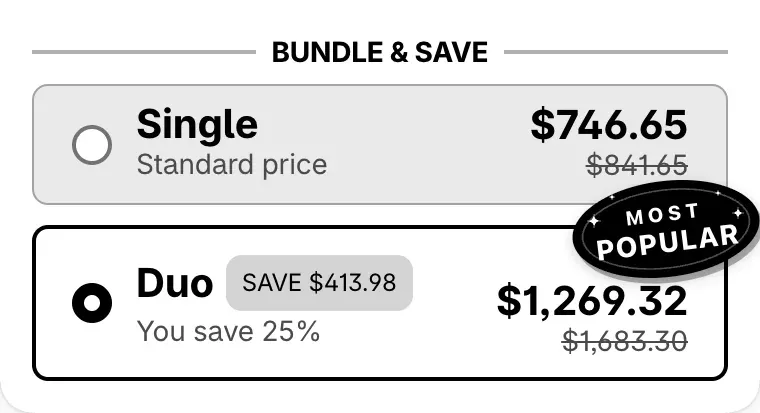
Each bar shows its price after the discount and, struck through, the price before it. With Use product compare-at price on, the struck-through price is the product's compare-at price instead, and the savings the widget shows count from it.
Set it up
- In Shopify, check that the product has a compare-at price higher than its price. The widget uses it only where it is higher.
- In TreStack Bundles, open the deal and go to Settings, Pricing.
- Turn on Use product compare-at price.
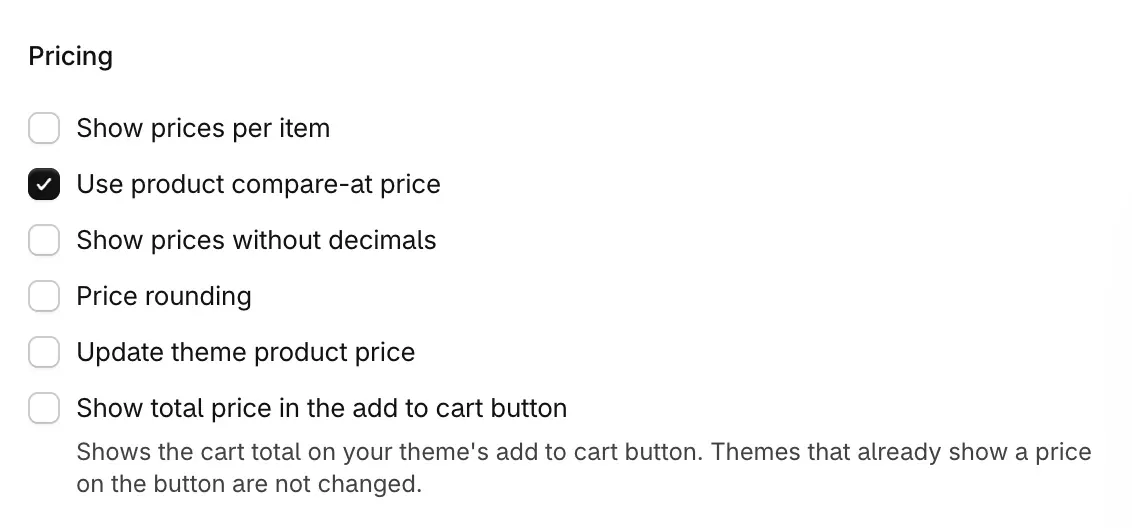
- Read the preview. Each bar's struck-through price is now the compare-at price, and text variables such as
{{saved_percentage}}and{{saved_total}}count the saving from it. - Save the deal, or choose Publish.
Check it on your store
View in store shows only what is published, so publish first. On the product page, each bar shows the compare-at price struck through. Add a bar to the cart and go to checkout: the deal's discount comes off the product's real price, not the compare-at price.
Good to know
- Display only. Compare-at prices change what the widget writes and the saving it shows. The discount at checkout always comes off the real price.
- When it does not show. A product without a compare-at price, or with one that is not higher than its price, shows the price before the discount instead. A deal that is still a draft does not show on the live page at all.
- Full price bars. A quantity break bar at Full price shows a product's compare-at price even with this setting off.
- No setting hides the struck-through price. With Use product compare-at price off, the struck-through price is the price before the discount.
- Theme price. With Update theme product price on, the theme's compare-at price follows the deal too, on the themes the widget knows.
Every price setting is in Prices, the sticky bar and the savings summary.
Customize variant pickers and swatches
Let shoppers pick a different variant for each item, replace dropdowns with color, image or pill swatches, hide the theme's picker, and move the gallery with featured images.
Round prices and remove decimals
Show deal prices as whole amounts, or make them end in .99, .95 or another ending, and what checkout charges in each case and in each currency.